A weekly review is a short, scheduled check-in where you clear your inboxes, look back at the past week and plan the next one. This 30-minute template breaks it into five timed steps so you can finish before your coffee gets cold, and it works with a paper notebook, a notes app or a Markdown file.
Key takeaways
- Block the same 30 minutes every week and treat it as a real appointment.
- Move through five steps: collect, clear, review, plan and reset.
- Keep the output small: a short list of priorities for the coming week.
- Use a template so you never face a blank page.
Why a Weekly Review Matters
Daily to-do lists keep you busy, but they rarely show whether you are moving toward what matters. It gives you a regular moment to step back. You notice dropped tasks, close open loops, and decide what deserves attention before the week decides for you. The habit is closely associated with the productivity method Getting Things Done, but you can use a lighter version without adopting the whole system.
What You Need Before You Start
- A calendar with this week and next week visible.
- Your task list or project notes.
- Your inboxes: email, messaging apps, physical papers and any quick-capture notes.
- A review note, which is the template below.
Choose a time when you are calm, such as Friday afternoon or Monday morning. Silence notifications and set a timer for the full 30 minutes.
The 30-Minute Review Template
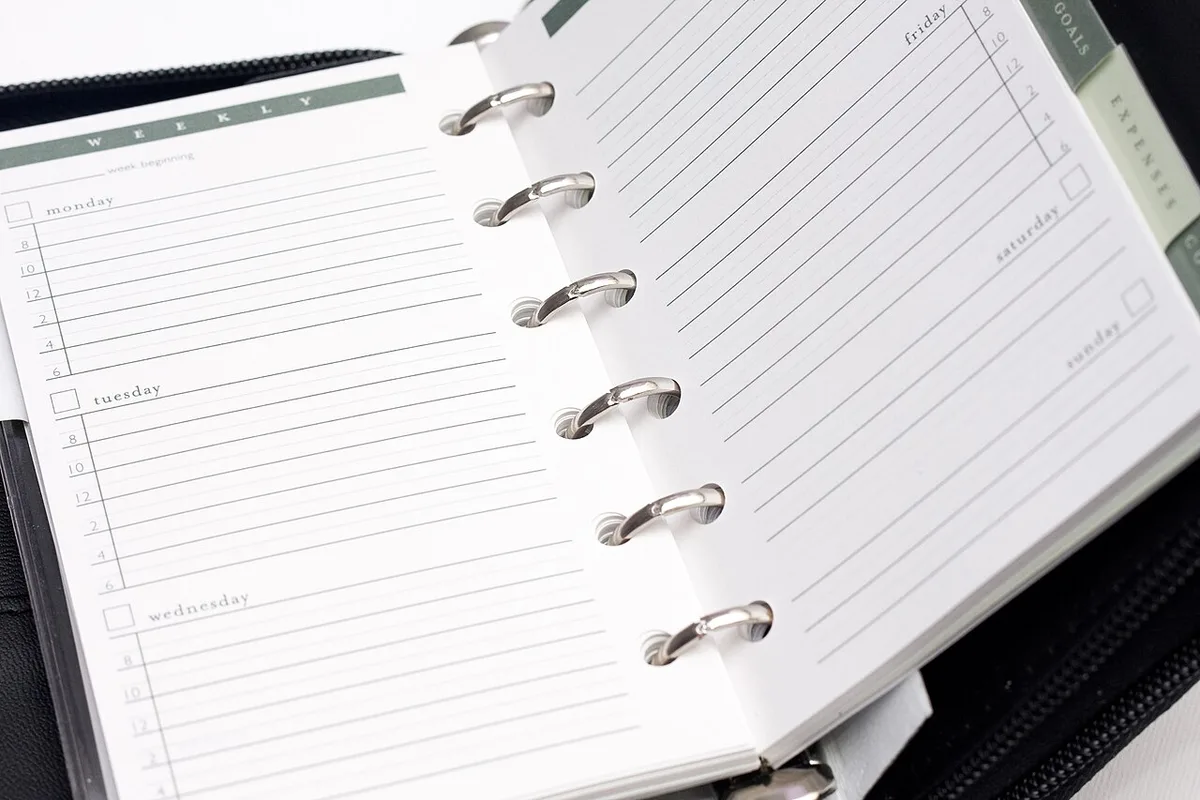
| Step | Minutes | What to do |
|---|---|---|
| 1. Collect | 5 | Gather loose notes, papers and thoughts in one place |
| 2. Clear | 7 | Empty inboxes by acting, filing, scheduling or deleting |
| 3. Review | 8 | Look back at the calendar and task list |
| 4. Plan | 7 | Choose priorities and block time for them |
| 5. Reset | 3 | Tidy your workspace and note one lesson |
Step 1: Collect
Gather everything that is still floating around: sticky notes, scribbles, browser tabs you meant to read, and ideas in your head. Put them in one inbox list. If you keep a Markdown note-taking workflow, this is your inbox file.
Step 2: Clear
Go through each inbox item and apply a simple rule. If it takes under two minutes, do it now. Otherwise, add it to your task list, put it on the calendar, hand it off or delete it. Aim for empty inboxes, not perfect ones.
Step 3: Review
Look at last week’s calendar. Did any meeting create a follow-up that you have not recorded? Then look at next week’s calendar for deadlines or appointments that need preparation. Finally, scan your project list and ask whether each project has a clear next action.
Step 4: Plan
Pick up to three outcomes for the coming week. Write them as results, such as “Send the draft proposal”, not vague areas like “Work on proposal”. Block time on your calendar for the most important item so it does not get pushed aside.
Step 5: Reset
Close extra tabs, clear your desk and write one sentence about what worked or did not this week. This lesson often becomes the best part of the review over time.

Copy-and-Paste Review Note
This Markdown version can be pasted into any notes app or document. If you want a quick reference for the symbols, see our Markdown cheat sheet.
# Review - Week of 2026-09-02

## Collect
- [ ] Gather notes, papers, tabs
- [ ] Add loose ideas to inbox

## Clear
- [ ] Email inbox
- [ ] Messaging apps
- [ ] Inbox note

## Review
- [ ] Last week's calendar: follow-ups?
- [ ] Next week's calendar: prep needed?
- [ ] Projects: next action for each?

## Plan
Top three outcomes:
1.
2.
3.

## Reset
- [ ] Tidy desk and tabs
- Lesson learned:
Make the Habit Stick
- Same time, same place. A consistent slot is easier to defend.
- Keep it short. A rushed 30 minutes beats a skipped two hours.
- Pair it with something pleasant, such as tea or music.
- Skip perfection. If you miss a week, simply do the next one rather than catching up on everything.
- Review the review. After a month, remove steps you never use and add one that would help.
Teams can use the same idea for shared goals. Pair it with a regular meeting using our meeting notes template so decisions and action items land in the same task list you review each week.
Frequently Asked Questions
How long should a weekly review take?
Thirty minutes is enough for most people once the habit is established. Your first reviews may run longer while you clean up old lists.
When is the best time to do it?
Choose the time you feel most reflective and least interrupted. Many people prefer Friday afternoon to close the week, while others prefer Monday morning to set direction.
Do I need a special app?
No. A paper checklist, a document or any notes app works. What matters is the routine, not the tool.
What if my inbox has hundreds of items?
Do one big cleanup session, then archive older items in bulk if your tools allow it. After that, the routine only needs to handle one week of new material.
Can I use this for personal life as well as work?
Yes. Add a few lines for finances, health, errands and relationships, or keep a separate short checklist for them.
Wrap-Up
Schedule your first weekly review today, copy the template and set a timer. After a few rounds, you will spend less time wondering what to do next and more time doing work that counts.